

Słuchaj tego podcastu za darmo w aplikacji: Pobierz za darmo z App Store
radio.pl
Sleep timer
Zapisz stacje
148 odcinków
The PM's Guide to Governance with Eric Ries, author of The Lean Startup
20.07.2026 | 1 godz. 19 min.Check out the conversation on Apple, Spotify, and YouTube.
Brought to you by
* Land PM Job - 12-week experience to master getting a PM job
* Jira Product Discovery - Plan with purpose, ship with confidence
* Amplitude - The market-leader in product analytics
* Bolt - Ship AI-powered products 10x faster
* Product Faculty - Get $550 off their #1 AI PM Certification with code AAKASH550C7
----
Today’s episode
Every startup founder picks up Zero to One. Reads the chapter on Delaware C-Corps. Files the paperwork. Moves on.
That paperwork will outlast every product decision they ever make.
I sat down with Eric Ries, the man who created Build, Measure, Learn. NYT bestselling author of The Lean Startup. Co-founder of Answer.AI with Jeremy Howard. Founder of the Long-Term Stock Exchange. Dario Amodei called him before Anthropic’s seed round.
His new book Incorruptible drops May 26. It is the blueprint for building a company that the financial system cannot capture.
He also demoed live how he wrote the book using Solve It, the AI platform from Answer.AI. Not prompting. Not generating. Editing the model’s responses directly.
If you are building anything you want to outlast the next funding round, this is the one episode to watch.
Check out the episode on Apple Podcast and Spotify.
If you want access to my AI tool stack, grab Aakash’s bundle.
----
Key Takeaways:
1. Governance has four dimensions - Compliance is table stakes. Purpose, coherence, and integrity are the three most boards ignore. Companies that nail all four outperform the market over decades.
2. Financial gravity destroys good companies - The unconscious reflex to comply with the values of those who have more than you. Jim Senegal called it heroin. You compromise once and it gets baked into the forecast.
3. Costco's governance fortress is the blueprint - Staggered board terms, poison pills, fiduciary hierarchy. $10K at the Costco IPO is worth $8.7M today versus $151K in the S&P 500.
4. Stone does not enforce itself - Johnson & Johnson carved values into limestone. Asbestos ended up in the baby powder. $10B settlement. Structure protects ethos but does not create it.
5. Mission lock vehicles create 6x survival - A separate entity holding the for-profit board accountable. Novo Nordisk, IKEA, Patagonia, Hershey, Vanguard all use this structure. 60% survival to year 50 versus 10%.
6. Anthropic's LTBT took two years to defend - AI safety experts appoint board seats. The trust gains power as the company hits milestones. Structural protection is why Anthropic can afford to be courageous.
7. Public Benefit Corporations write mission into the charter - Legal permission to pursue purpose over shareholder value. Not the B-Corp certification sticker. A legal structure.
8. LLMs are conformity machines - They produce the center of the outcome distribution. For competitive advantage you must change how you use AI.
9. Solve It enables human-in-the-loop writing - Edit the model's responses directly. 600 test readers, 10K structured comments, Python scripts organizing feedback per chapter.
10. Build Measure Learn works at any timescale - Not about absolute speed. Relative velocity versus your industry convention. The AI labs that release more quickly create decisive trust advantages.
----
Where to find Eric Ries
* LinkedIn
* Incorruptible
* Answer.AI / Solve It
* Long-Term Stock Exchange
* Lean Startup
----
Related content
Podcasts:
* AI Product Strategy with Aman Khan
* The Marty Cagan Episode on Product Management
* How to Succeed as a Head of Growth with Dan Olsen
Newsletters:
* AI product strategy in 2026
* How Cursor grows
* PLG in 2026
----
PS. Please subscribe on YouTube and follow on Apple & Spotify. It helps!
If you want to advertise, email productgrowthppp at gmail.
This is a public episode. If you'd like to discuss this with other subscribers or get access to bonus episodes, visit www.news.aakashg.com/subscribeClaude PM Masterclass from Former FAANG AI PM Jyothi Nookula
13.07.2026 | 1 godz. 33 min.Today’s episode
“This one’s too complex. I’m still stuck on ChatGPT.”
I get some version of that DM every week, usually right after I publish something on the PM OS or the Team OS. And every time, I feel it, because those guides do assume you’re already up and running.
So I made this episode for the person sending the message. Jyothi Nookula has been an AI PM since before that was a title, through Netflix, Meta, and Amazon, and I asked her to take a PM from zero to eighty on the entire Claude stack in one sitting.
She walks through:
The five-layer Claude stack, so you finally know which surface and which model to reach for and when
A chief of staff you build in Claude Code that reads your meetings and quietly learns your org, your people, and your politics
The self-improving agent loop she used to beat 30 engineering teams at an internal hackathon, as a PM
Everything she shows is something she runs at work, which is the only reason any of it holds up.
Send this to the PM in your life who keeps saying they’re behind. Two hours from now, they won’t be.
----
Brought to you by:
Hyper Agent: Turn your recurring PM work into reusable agents
----
If you want access to my AI tool stack - Dovetail, Arize, Linear, Descript, Reforge Build, Relay.app, Magic Patterns, Speechify, Bolt.new and Mobbin - become an annual subscriber ($150), and grab Aakash’s bundle.
If you want access to my AI PM customizations - PM OS, Job Search OS, and Prompt Library - become a founding subscriber ($250).
----
Key Takeaways:
1. Match the model to the job - Sonnet handles ninety percent of PM work at the best cost. Save Opus for genuinely hard reasoning, and hand fast bulk jobs to Haiku. Defaulting to the smartest model for everything just burns time and money.
2. Stop skipping the knowledge layer - Projects, skills, and memory are what make Claude know your actual work instead of guessing from a blank slate. Almost everyone underinvests here, and it is the difference between a chatbot and an assistant that knows you.
3. A skill beats a prompt - A skill is a saved playbook Claude picks up on its own when it fits the task. It only loads when needed, so it never clogs the context window. Build one once and stop re-explaining the same task forever.
4. Write your skills yourself - Human-written skill files consistently beat AI-written ones. Draft with Claude to move fast, then layer in the domain knowledge only you have. That last step is what makes it actually work.
5. Automate your time based work - A morning brief, a standup summary, and an end-of-day wrap can all run on a schedule while you sleep. You walk in already knowing what needs your attention. It clears the busywork that eats your mornings.
6. Give your automations guardrails - Cap the length, tell them to stick to facts, and never let them hallucinate. Left unchecked, an AI brief will pad itself and invent things. A few hard rules keep it sharp and trustworthy.
7. Build a chief of staff that learns your org - Point Claude at your meeting notes and let it build a picture of your people, your priorities, and your politics over time. Feed it transcripts first, since they carry the richest signal. It compounds into something no generic chatbot can match.
8. Keep that knowledge base on your own laptop - Your most personal work data does not belong in someone else's cloud. When you leave a company, it walks out with you. You keep full control of your most sensitive context.
9. The PM job is changing fast - The ratio is shifting from one PM per eight engineers toward two PMs per one. Building is becoming part of the role, and the PMs who can ship are pulling ahead.
10. Building is easy now, taste is scarce - When anyone can build, the edge moves to knowing what is worth building and what good actually looks like. That judgment is the one skill you cannot download.
----
Related content
Github repo: https://github.com/fibbonnaci/ai-builder-skills
Podcasts:
How to Become an AI PM - YouTube | Spotify | Apple
How a VP Uses Claude Without Producing Slop - YouTube | Spotify | Apple
This CPO Uses Claude Code to Run His Entire Work - YouTube | Spotify | Apple
Newsletters:
I Built You Memory for Claude Code, Hermes, and OpenClaw
I spent 100s of hours building a PM OS for you
How to build a Team OS in Claude Code
----
Where to find Jyothi Nookula:
LinkedIn: https://www.linkedin.com/in/jyothinookula/
NextGen Product Manager: https://nextgenproductmanager.com/
Where to find Aakash:
Twitter/X: https://x.com/aakashgupta
LinkedIn: https://www.linkedin.com/in/aagupta/
Newsletter: https://www.news.aakashg.com
---
PS. Please subscribe on YouTube and follow on Apple & Spotify. It helps!
If you want to advertise, email productgrowthppp at gmail.
This is a public episode. If you'd like to discuss this with other subscribers or get access to bonus episodes, visit www.news.aakashg.com/subscribeThe PM's Guide to AI Design that isn't Slop
09.07.2026 | 1 godz. 14 min.Today’s episode
Today I’m showing you, advanced Codex workflows with Meng To, founder of Design+Code.
He told me early on that he’s barely touched Claude. He’s been living inside Codex every day since launch, running a setup most PMs have never seen up close.
Plan mode and a fleet of 20 agents running at once while he steps away from his desk entirely. Slides, charts, and full brainstorms generated inside the same chat window, reviewed, regenerated, and shipped, all without writing a line of code.
We also get into something heavier than workflows.
Why PMs are losing their jobs to layoffs right now? And how to future proof your career?
Don’t miss....
----
Brought to you by:
Arize: Trace, evaluate, and fix your AI agents before broken behavior ships to users
----
If you want access to my AI tool stack - Dovetail, Arize, Linear, Descript, Reforge Build, Relay.app, Magic Patterns, Speechify, Bolt.new and Mobbin - become an annual subscriber ($150), and grab Aakash’s bundle.
If you want access to my AI PM customizations - PM OS, Job Search OS, and Prompt Library - become a founding subscriber ($250).
----
Key Takeaways:
1. Codex is a fleet operator - Meng runs 20 agents at once while stepping away from his desk entirely. Each one works on something different, slides, charts, brainstorms, while he does something else completely.
2. Plan mode isn't optional - Skipping it means paying twice, once to build the wrong thing, once to undo it. Codex returns a full breakdown, architecture, steps, and open questions, before touching anything.
3. A screenshot beats a paragraph every time - It shows the AI what you mean instead of what you think you mean. A simple two-key shortcut drops any window straight into the chat as context.
4. The taste skill is the real differentiator - Without it, AI design defaults to generic. With it, the output looks like something a senior designer with years of experience actually made.
5. Trust is earned in tiers - Read only first, then supervised access, then full access. Skipping straight to full access before learning where the AI tends to fail is how people get burned.
6. HTML beats Figma for speed - Every extra tool is a login, a subscription, and a context switch the AI can't do for you. Keep your blast radius small.
7. UGC won because audiences are tired of corporate polish - A synthetic version of you, used honestly, reads as more human than a generic message. Ten old photos is all it takes to build a digital twin.
8. Technical PMs aren't surviving layoffs because they write code - Meng hasn't written a single line in six months. They're surviving because they're fluent enough to direct a fleet of agents and catch a wrong output before it ships.
9. Meng builds his own tools when nothing off the shelf fits - His own video editor, his own SaaS templates, his own design brainstorming app. The tool built for your exact workflow beats the popular one every time.
10. The bar isn't five star anymore - Five star is just the floor everyone clears by default now. The real question is what six, seven, all the way to eleven star looks like, because that ceiling rises exactly as fast as the floor does.
----
Related content
Podcasts:
How to Design with AI - YouTube | Spotify | Apple
How to Use Codex Like an OpenAI PM - YouTube | Spotify | Apple
The Ultimate Guide to ChatGPT Codex - YouTube | Spotify | Apple
Newsletters:
OpenAI’s Codex is the Best Way to Use ChatGPT
I spent 100s of hours building a PM OS for you
How to build product strategy in the age of AI
----
👨💻 Where to find Meng To:
LinkedIn: https://www.linkedin.com/in/mengto
Design+Code: https://designcode.io
Aura: https://aura.build
👨💻 Where to find Aakash:
Twitter/X: https://x.com/aakashgupta
LinkedIn: https://www.linkedin.com/in/aagupta/
Newsletter: https://www.news.aakashg.com
---
PS. Please subscribe on YouTube and follow on Apple & Spotify. It helps!
If you want to advertise, email productgrowthppp at gmail.
This is a public episode. If you'd like to discuss this with other subscribers or get access to bonus episodes, visit www.news.aakashg.com/subscribeHow to Build a Company OS in Claude Code with Jiaona Zhang, CPO at Laurel
24.06.2026 | 1 godz. 7 min.Today’s episode
Product teams have figured out AI for engineering. The PMs are using Claude. The engineers are in Cursor. If you’ve been reading this newsletter from the start, you’ve seen how the top 1% are using AI to 10x their output.
But there are still teams at companies like Adobe, teams in sales, customer success, finance, who don’t have access to any of these tools. You ask them what AI to use for their next task, and you get a blank stare.
That gap is the real problem. And it compounds every day.
Jiaona Zhang “JZ” has built the fix. She is the CPO at Laurel, which just raised $100M in Series C, and she has led product at Airbnb, Dropbox, Webflow, and WeWork. Today she runs a product team that ships frontend and backend features end to end, without any engineering handoff.
In this episode, she screen-shares everything. Laurel’s full Company OS built in GitHub, with skill files for every function from CS to legal to finance. The playbook to agent pipeline that turned 50-page docs into automated workflows. The daily Slack briefing that tells every person exactly what to do and which skill to use when. And a ton more.
This is one of the densest episodes I’ve ever recorded. The knowledge per minute is as high as it gets.
Don’t miss.....
----
Brought to you by:
Ariso - Ship AI agents and features faster, with fewer regressions
Bolt - Ship AI-powered products 10x faster
Pendo - The #1 software experience management platform
Product Faculty - Get $550 off their #1 AI PM Certification with code AAKASH550C7
Customer.io - Send smarter messages using your product data
----
If you want access to my AI tool stack - Dovetail, Arize, Linear, Descript, Reforge Build, Relay.app, Magic Patterns, Speechify, Bolt.new and Mobbin - become an annual subscriber ($150), and grab Aakash’s bundle.
If you want access to my AI PM customizations - PM OS, Job Search OS, and Prompt Library - become a founding subscriber ($250).
----
Key Takeaways:
1. Every company has a 1% who are AI-native and a 99% who do not know what to use when. The Company OS closes that gap by encoding the 1%'s workflows into skills that anyone can use when they open Claude.2. Build the ontology before you build the OS. Map every team's work to categories and tasks first. Color-code what should get more human time vs what gets automated. The OS is built from that work map.3. Even the friction of going to a different interface kills adoption. A separate agent tool in a new tab will not get used consistently. Deliver skills and automations inside Slack and email, where people already are.4. When AI adoption is everyone's responsibility, it is no one's responsibility. Dedicate one person full-time to AI Operations. Start with one person who demonstrates value. Every other function will want their own version within months.5. The Company OS turns a 50-page playbook into a set of agents. Write the playbook first. Then audit it. What requires a human? What can be automated? Build the skill files from what remains.6. The captain model replaces the handoff chain. Every feature has one owner end-to-end. The captain is whoever has the most critical skill for that feature's hardest problem.7. PMs at Laurel ship front-end and back-end features. Not just growth experiments or copy changes. Core product features deeply integrated with billing systems and time entry logic. One PM who identifies as a designer shipped one of these end-to-end last month.8. JZ went from hundreds of reports to 5 PMs and 4 designers. They ship more than ever. Adding people adds coordination cost. In a world where one PM can take a feature from discovery to production in a day, large teams cancel out their own capacity gains.9. The new PM interview is a screen share. JZ asks every candidate to show their actual screen. In 60 seconds she knows their level of AI skills.10. The PM fundamentals never changed. Problem space first. Know why and for whom you are building before you build. The speed changed dramatically. What you are supposed to be doing at the heart of it did not.
----
Related content
Podcasts:
How a VP Uses Claude Without Producing Slop - YouTube | Spotify | Apple
How to Build a Team OS in Claude Code - YouTube | Spotify | Apple
How to Become a Builder PM - YouTube | Spotify | Apple
Newsletters:
I spent the last week building an OS in Claude Code
I spent 100s of hours building a PM OS for you
How to build product strategy in the age of AI
----
Where to find Jiaona Zhang
LinkedIn - https://www.linkedin.com/in/jiaona/
Reforge - https://www.reforge.com/profiles/jiaona-zhang
Laurel - https://www.laurel.ai/
Where to find Aakash:
X - https://x.com/aakashgupta
LinkedIn - https://www.linkedin.com/in/aagupta/
Newsletter - https://www.news.aakashg.com
---
PS. Please subscribe on YouTube and follow on Apple & Spotify. It helps!
If you want to advertise, email productgrowthppp at gmail.
This is a public episode. If you'd like to discuss this with other subscribers or get access to bonus episodes, visit www.news.aakashg.com/subscribeHow a VP of Product Uses Claude Without Producing Slop | Matthew Wensing, Customer.io
09.06.2026 | 50 min.Today’s episode
There are hundreds of guides on writing PRDs with Claude. Dozens on running user interviews. Almost nothing on how a VP of product actually uses it.
Matt Wensing is VP of Product and Design at Customer.io. They crossed $100M ARR, just shipped an AI agent, and are one of the fastest growing companies in B2B SaaS right now. I asked him to show me his actual documents, his actual Slack threads, and the exact sessions where Claude helped him produce leadership grade output.
What he showed me changed how I think about AI for leaders. Claude has the instincts of a brilliant new hire, it wants to deliver before it fully understands what you need, and at the VP level that gap shows up fast. Matt has spent months figuring out how to manage it, and in this episode he shows you everything.
----
Brought to you by:
LogRocket - Find the bugs killing your conversion before your users do. I ran a head-to-head eval to see if that's true.
----
If you want access to my AI tool stack - Dovetail, Arize, Linear, Descript, Reforge Build, Relay.app, Magic Patterns, Speechify, Bolt.new and Mobbin - become an annual subscriber ($150), and grab Aakash’s bundle.
If you want access to my AI PM customizations - PM OS, Job Search OS, and Prompt Library - become a founding subscriber ($250).
----
Key Takeaways:
1. Take inventory before you open Claude - Before building anything, list every piece of raw material you already have. Zoom recordings, strategy docs, past presentations. The quality of what you feed Claude determines the quality of what comes out.2. Pivot content, do not write from scratch - Claude's best use case is transformation, not creation. Give it two inputs and ask it to reorganize one into the shape of the other. Matt calls this matrix multiplication.3. Build slides first - Build the visual story first. Screenshot the finished slides and feed them back into the same Claude session. Ask it to write a talk track that adds depth using all the context it already has, not one that just repeats the slide.4. Kill eager suggestions immediately - The moment Claude asks if you want it to generate the next thing, say stop. You control the pace. A 200-iteration session with a great deliverable beats saying yes to the first draft every time.5. Start sessions in the abstract - If you reveal the domain too early, Claude pattern matches to the nearest template. Keep it abstract. Build a clean mental model first. Reveal the domain only when the framework holds up on its own.6. Layer complexity in slowly - Start with the simplest version of the framework. Let Claude stabilize on the basics before you add exceptions. Dumping everything in at once produces a lost in the woods experience for both of you.7. AI alignment decks always backfire - When you one-shot an alignment deck, you flatten the problem. Senior executives have spent months living with the real complexity. They feel the thinness immediately, even when they cannot say why.8. Decompose the problem before building anything - Challenge yourself to explode a nasty problem into all its pieces before you touch Claude. Put those observations into the context window first. Then assemble the solution.9. The Slack scanner keeps leaders close to the ground - Customer.io built an AI scanner that monitors dozens of Slack channels and surfaces threads where a product person should be involved. It runs continuously without overwhelming. 10. Chiefys audits your strategy docs automatically - Chiefys is a Slack bot that holds Customer.io's ratified company documents and checks new work against all of them. It flags contradictions and stale documents so nothing goes invisible after you ship something new.
----
Related content
Podcasts
PM’s Guide to Claude - YouTube | Spotify | Apple
How to Become a Builder PM - YouTube | Spotify | Apple
We Built an AI Product Manager in 58 mins - YouTube | Spotify | Apple
Newsletters
How to Use Claude for Work
How to Build Product Strategy with Claude Code
The PM OS
----
Where to find Matthew Wensing:
1:1 Video Consultation: https://intro.co/MattWensing
LinkedIn: https://www.linkedin.com/in/wensing/
X: https://x.com/mattwensing
Where to find Aakash:
X: https://x.com/aakashgupta
LinkedIn: https://www.linkedin.com/in/aagupta/
Newsletter: https://www.news.aakashg.com
---
PS. Please subscribe on YouTube and follow on Apple & Spotify. It helps!
If you want to advertise, email productgrowthppp at gmail.
This is a public episode. If you'd like to discuss this with other subscribers or get access to bonus episodes, visit www.news.aakashg.com/subscribe
Więcej Biznes podcastów
 Inwestomat - oszczędzanie, inwestowanie, wolność finansowaBiznes, Inwestowanie
 Strefa InwestorówBiznes, Technologia, Wiadomości
 ZSŻBiznes
 Moja drogaBiznes, Kariera, Przedsiębiorczość, Zarządzanie
 Podcast BiznesowyBiznes
 Girls Money Club PodcastBiznes, Edukacja, Inwestowanie
 The Diary Of A CEO with Steven BartlettBiznes, Edukacja, Społeczeństwo i Kultura
 PB PodcastyBiznes
 PB BRIEFBiznes
Trendy w podcaście Biznes
 The Diary Of A CEO with Steven BartlettBiznes, Przedsiębiorczość
 What It's Like To Be... with Dan HeathBiznes, Kariera, Społeczeństwo i Kultura
 UnhedgedBiznes, Inwestowanie, Wiadomości, Wiadomości Gospodarcze
 Dobra sprzedaż | Szymon LachBiznes
 The Master Investor Podcast with Wilfred FrostBiznes, Inwestowanie
 Biznes MisjaBiznes
 Mon argentBiznes, Edukacja, Nauka Języków
 Good Bad BillionaireBiznes, Dokumentacja, Przedsiębiorczość, Społeczeństwo i Kultura
 Decoder with Nilay PatelBiznes, Technologia
- Strefa InwestorówBiznes, Technologia, Wiadomości
 CTO Morning CoffeeBiznes, Kariera, Technologia
 Biznes i EmocjeBiznes
 Escola AIBiznes, Przedsiębiorczość, Technologia
 Pokój PrzesłuchańBiznes
 Patrick Boyle On FinanceBiznes, Inwestowanie
 Prof G MarketsBiznes, Inwestowanie
 The Game with Alex HormoziBiznes, Edukacja, Instrukcje, Przedsiębiorczość
 Sprzedaż i biznes- zwiększmy Twoją sprzedaż 🔥Biznes, Edukacja, Kursy, Przedsiębiorczość
- Girls Money Club PodcastBiznes, Edukacja, Inwestowanie
 The Peter Schiff Show PodcastBiznes, Inwestowanie, Wiadomości, Wiadomości Gospodarcze
 2Bobs—with David C. Baker and Blair EnnsBiznes, Przedsiębiorczość, Zarządzanie
 The Prof G Pod with Scott GallowayBiznes, Przedsiębiorczość
 Phil KoniecznyBiznes, Inwestowanie
 Jocko PodcastBiznes, Historia, Zarządzanie
 Financial AuditBiznes, Edukacja, Inwestowanie, Samodoskonalenie
 Business DailyBiznes
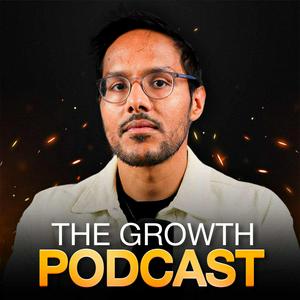
O The Growth Podcast
Join 500K+ for deep dives on AI + product management. After spending a decade plus in product, I now interview PM's most insightful experts. www.news.aakashg.com
Strona internetowa podcastuSłuchaj The Growth Podcast, Inwestomat - oszczędzanie, inwestowanie, wolność finansowa i wielu innych podcastów z całego świata dzięki aplikacji radio.pl
Uzyskaj bezpłatną aplikację radio.pl
- Stacje i podcasty do zakładek
- Strumieniuj przez Wi-Fi lub Bluetooth
- Obsługuje Carplay & Android Auto
- Jeszcze więcej funkcjonalności
Uzyskaj bezpłatną aplikację radio.pl
- Stacje i podcasty do zakładek
- Strumieniuj przez Wi-Fi lub Bluetooth
- Obsługuje Carplay & Android Auto
- Jeszcze więcej funkcjonalności
The Growth Podcast
Zeskanuj kod,
pobierz aplikację,
zacznij słuchać.
pobierz aplikację,
zacznij słuchać.
 Polska